Make.com vs n8n vs Zapier: Which No-Code AI Workflow Tool Should You Learn First in 2026?
If your goal is to build an AI automation business, the question is not simply, “Which platform has the most features?”
The better question is:
Which tool can help me build reliable systems, hand them off to local business owners, and maintain healthy margins?
Make.com, n8n, and Zapier can all power no-code AI automation. Each can connect business apps, add AI steps, and automate repetitive work. But they are built for different types of operators.
Our clear recommendation for most beginners in 2026 is Make.com.
It offers the best balance of visual simplicity, workflow control, AI capabilities, client hand-off, and operating cost. Zapier is the easiest place to start. n8n is the most flexible for technical builders. But Make is the strongest first platform for someone who wants to sell B2B AI services to local and Main Street businesses.
The quick verdict
| Platform | Best for | Commercial verdict |
|---|---|---|
| Make.com | Visual, multi-step AI workflows and business process automation | Best first choice for most new AI automation agencies |
| Zapier | Simple automations and a huge library of app integrations | Best for speed, simplicity, and familiar SaaS tools |
| n8n | Technical AI agents, self-hosting, APIs, and advanced customization | Best when you need deeper control or data ownership |
You can build a profitable service with any of the three. The platform is not the offer. The business outcome is the offer.
A contractor does not want “a Make scenario.” They want fewer missed calls, faster estimates, and more booked jobs.
A real estate office does not want “an n8n workflow.” They want new leads qualified and routed without someone checking spreadsheets all day.
That distinction matters when you are building an agency.
What should you evaluate before choosing a tool?
For a commercial AI workflow, evaluate each platform against five practical questions:
- Can you build the workflow without writing traditional software?
- Can it handle AI decisions, not just simple triggers and actions?
- Can a client understand and take ownership of the system?
- Can you maintain it without spending your entire retainer on support?
- Will the software cost leave room for a setup fee and recurring margin?
These questions are more important than comparing raw integration counts.
Your first client projects will probably involve workflows such as:
- Missed-call text-back
- AI receptionist and lead intake
- Lead qualification and routing
- Appointment booking
- Invoice and back-office administration
- CRM synchronization
- Review requests and follow-up messages
Each platform can support some version of these use cases. The difference is how quickly you can build them, how much control you have, and how difficult they are to operate at scale.
Make.com: the best first platform for most AI automation businesses
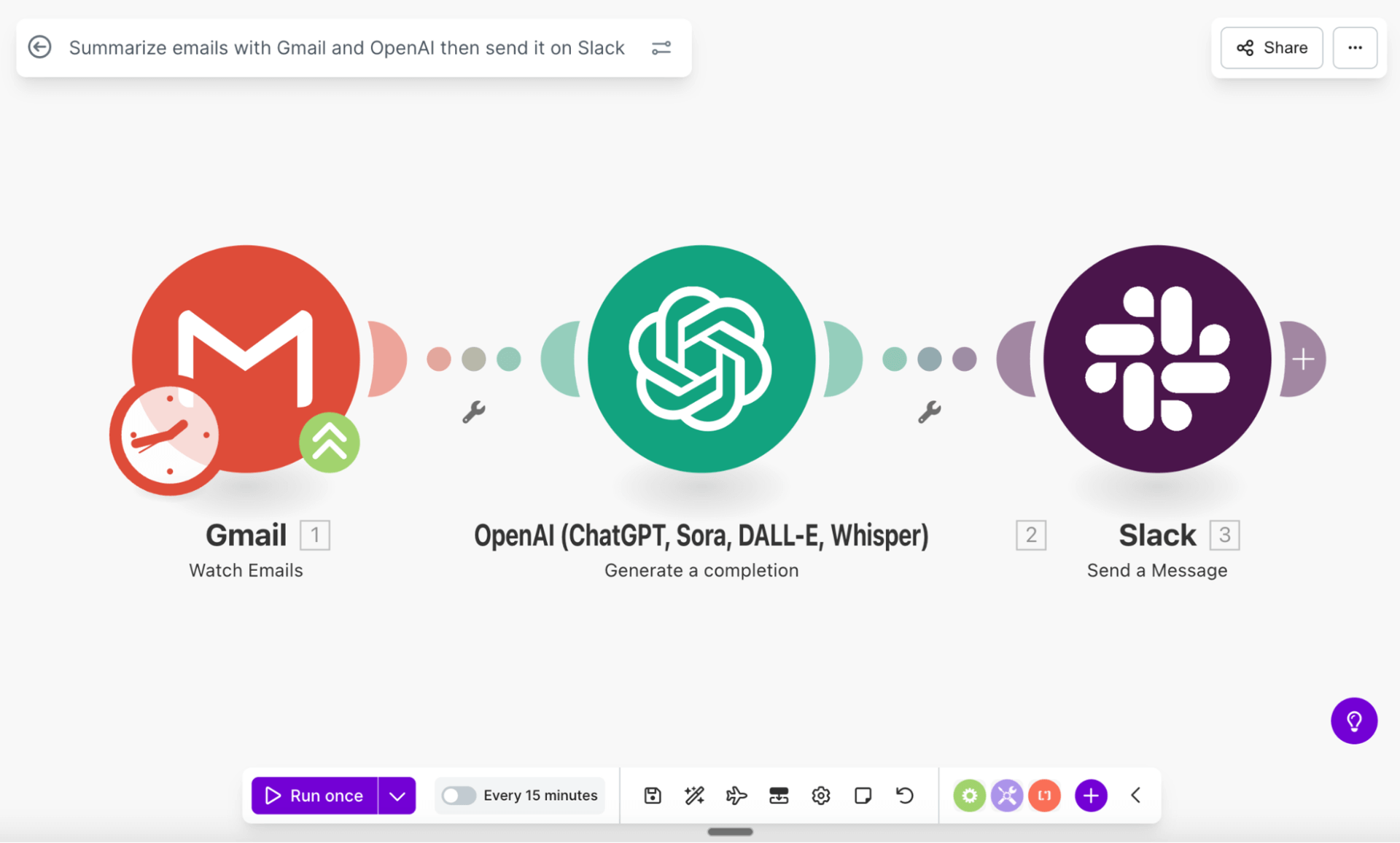
Make.com is our recommended starting point for most agency owners, freelancers, and no-code operators.
Its visual scenario builder gives you more control than a basic linear automation tool. You can add routers, filters, iterators, aggregators, webhooks, error handling, and API requests without building an application from scratch.
That matters when a client’s process is not perfectly predictable.
For example, a lead qualification workflow might need to:
- Receive a form submission or missed call.
- Extract the customer’s name, service type, location, and urgency.
- Ask an AI model to classify the lead.
- Send qualified leads to a CRM.
- Text the customer a booking link.
- Alert the business owner if the lead is high value.
- Create a follow-up task if the customer does not respond.
Make is well suited to this type of branching process.
Its AI capabilities have also moved beyond simple text generation. Make now supports AI agents and natural-language scenario building, allowing you to describe the workflow you want and use AI to help create the starting structure. You still need to test the logic, define permissions, and add safeguards, but the building process is becoming faster.
This is important because the market is moving toward agentic automation. Clients increasingly want systems that can interpret information and choose the next step, not just move data from point A to point B.
Why Make works commercially
Make is cloud-hosted, so you do not need to manage servers, patches, backups, or uptime for every client. That makes it easier to deliver a $3,000 setup project and support the system through a recurring monthly retainer.
The tradeoff is that Make charges by credits or operations. Every module or action can affect usage, so you need to design workflows efficiently and monitor consumption.
The platform has a free plan, while paid plans commonly start around $9 per month for a basic credit allowance. Pricing changes, so check the official Make pricing page before quoting a client.
For most new agencies, that cost is manageable inside a $1,500 monthly maintenance and optimization retainer.
Zapier: the fastest route to simple client wins
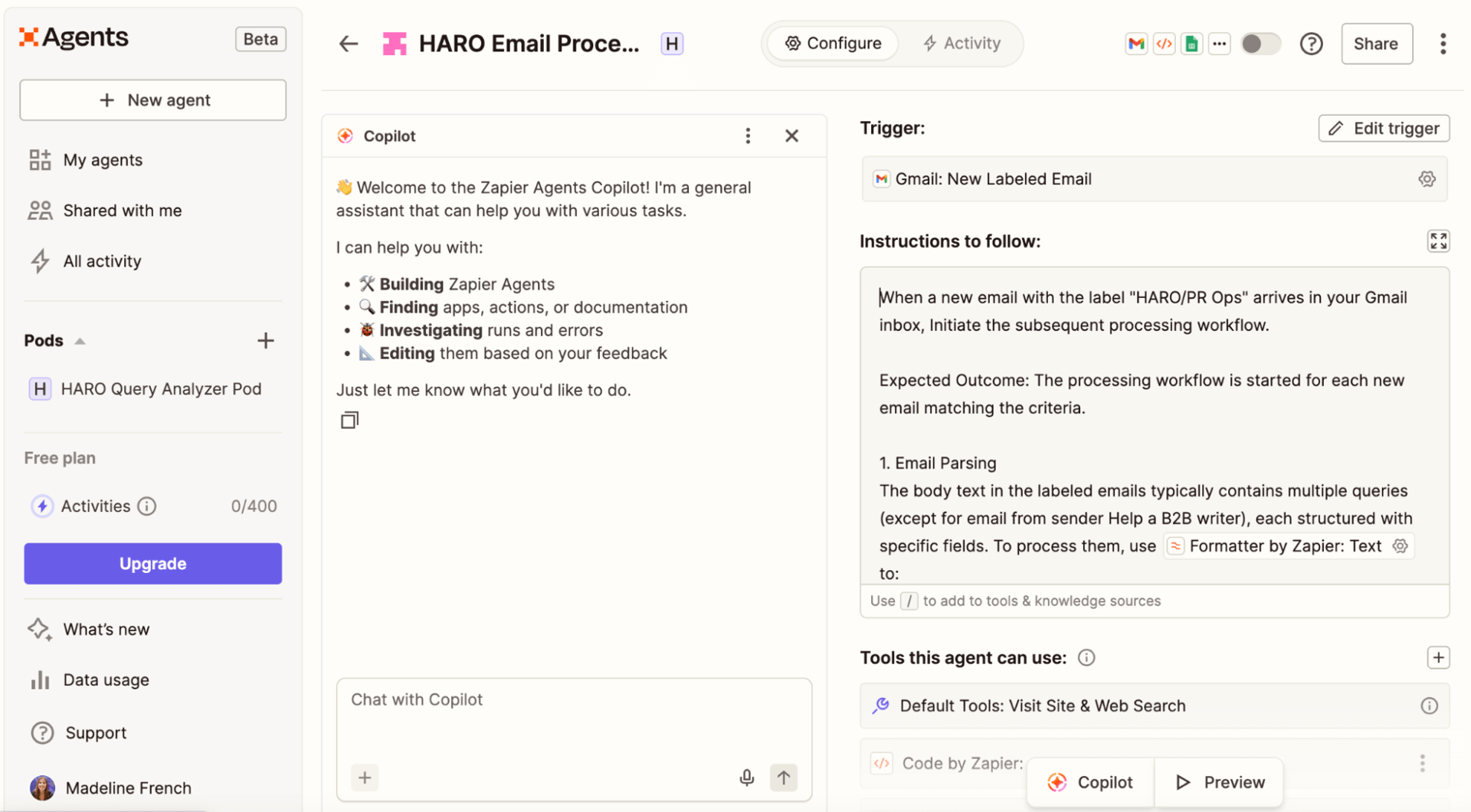
Zapier remains the easiest platform for beginners.
Its interface is straightforward, its app directory is enormous, and many small business owners have at least heard of it. According to Zapier’s current pricing information, the platform connects to more than 9,000 apps.
That breadth is useful when a client relies on an unusual CRM, accounting tool, form builder, or marketing platform.
Zapier is a strong choice for workflows such as:
- New lead in a form → add lead to CRM
- New appointment → send confirmation email and SMS
- New invoice → update a spreadsheet and notify accounting
- New email inquiry → summarize the request and assign it to a team member
Zapier also offers AI tools, agents, natural-language workflow building, AI fields, and automation across its broader platform.
The main limitation is cost and depth. Zapier’s task-based pricing can become expensive when a workflow runs frequently or includes many actions. The platform is excellent for simple, high-value automations, but complex branching logic can become harder to manage economically.
The current free plan includes 100 tasks per month, while the Professional plan starts at $19.99 per month when billed annually. You can review the latest details on Zapier’s pricing page.
When Zapier is the right choice
Choose Zapier first when:
- The client needs a simple workflow live quickly.
- The required apps already have mature Zapier integrations.
- The client wants to edit the automation themselves.
- You are validating a service before building a more complex system.
- The workflow volume is low enough that task costs do not damage your margin.
Zapier is often the best tool for proving demand. You can always rebuild a successful workflow in Make or n8n later if usage, complexity, or cost justifies the move.
n8n: the strongest platform for technical AI agents
n8n is the most powerful option of the three, especially for technical builders.
It supports custom API requests, JavaScript and Python steps, advanced AI workflows, vector databases, retrieval-augmented generation, memory, and multi-agent patterns. It can also be self-hosted, giving you more control over data storage and infrastructure.
That makes n8n attractive for:
- Custom AI agents
- Internal knowledge assistants
- RAG systems
- Multi-step research workflows
- Proprietary APIs and databases
- Sensitive data environments
- Clients that require self-hosting or data residency
n8n’s execution-based pricing can also be attractive. The hosted Starter plan currently starts at $20 per month when billed annually for 2,500 workflow executions with unlimited steps. A self-hosted Community Edition is available, although infrastructure, backups, security, and maintenance become your responsibility. See the official n8n pricing page for current plans.
The limitation is that n8n is not truly no-code once you move beyond basic templates. You will benefit from understanding expressions, APIs, JSON, webhooks, authentication, and server management.
That is not a problem for a developer-led agency. It is a problem if your promise is to help non-technical operators build systems without writing code.
Which platform is best for common client projects?
| Client project | Best starting platform | Why |
|---|---|---|
| Missed-call text-back | Make or Zapier | Fast setup with phone, CRM, and SMS integrations |
| AI receptionist | Make or n8n | Requires routing, AI decisions, scheduling, and fallback logic |
| Lead qualification | Make | Strong visual branching and data transformation |
| Appointment booking | Zapier or Make | Easy connection to calendars, forms, CRMs, and messaging |
| Invoice administration | Make | Better handling of multi-step records and exception paths |
| CRM synchronization | Zapier | Broad app coverage and simple client hand-off |
| RAG knowledge assistant | n8n | Better control over databases, memory, and custom AI architecture |
| Self-hosted AI agent | n8n | Full infrastructure and data control |
This is why we recommend learning Make first, then adding Zapier or n8n based on the client’s requirements.
The commercial test: can you sell and maintain it?
A platform is commercially useful when it helps you deliver a repeatable result.
For a $3,000 setup and $1,500 monthly retainer, your system should have:
- A clear business outcome
- A documented workflow map
- Usage limits and cost monitoring
- Error notifications
- Human approval for sensitive actions
- A simple client hand-off process
- A maintenance and optimization plan
Do not sell “AI automation” as a vague technology package. Sell a specific operating system for a specific business problem.
For example:
“We will respond to missed calls within 60 seconds, qualify the caller, and send qualified prospects a booking link.”
That offer is easier to price, demonstrate, and retain than “We build custom AI workflows.”
When should you switch platforms?
Start with Make unless you have a strong reason not to.
Switch to Zapier when the client depends on an app Make does not support well, or when the workflow is simple enough that ease of use matters more than advanced control.
Switch to n8n when:
- You need self-hosting.
- A client requires deeper data control.
- Workflow execution volume makes step-based pricing unattractive.
- You need custom code, APIs, RAG, or multi-agent orchestration.
- Your agency has the technical ability to manage infrastructure.
Do not switch simply because another tool is trending. Switching creates migration work, new support requirements, and another platform to learn. Move when the business case is clear.
Final recommendation
If you want to build an AI automation agency without writing traditional software, learn Make.com first.
It gives you enough flexibility to build serious AI workflow automation while remaining visual, cloud-hosted, and manageable for client delivery. It is powerful enough for missed-call systems, AI receptionists, lead qualification, booking workflows, CRM sync, and back-office automation, but accessible enough to learn and demonstrate quickly.
Learn Zapier when speed and app coverage are the priority. Learn n8n when technical control, self-hosting, and advanced AI agent architecture become central to your business.
The goal is not to become an expert in every automation platform. The goal is to identify an expensive operational problem, build a reliable solution, and turn it into a repeatable B2B service.
That is the core idea behind the AI Revolution Wealth Playbook: skip the theory, build practical systems, and create a profitable AI automation business around measurable results.